
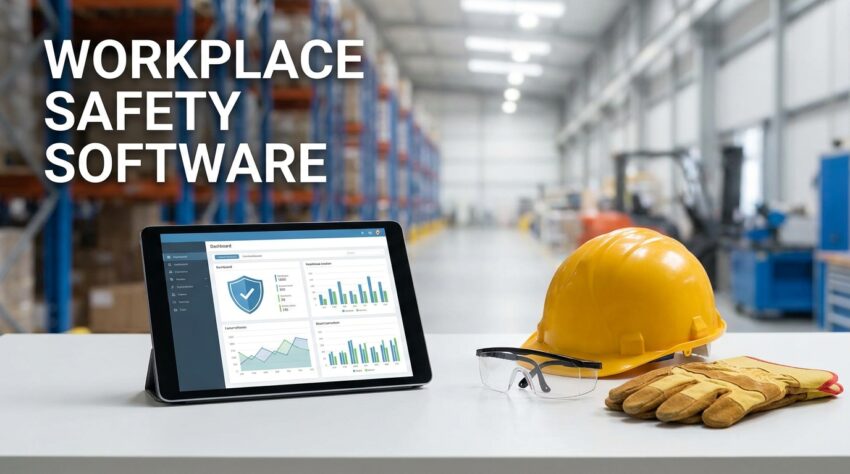
Managing workplace risks requires more than creating safety policies and keeping inspection records. You need to know where hazards exist, how serious they are, who is responsible for controlling them, and whether corrective actions have actually been completed. Workplace Safety Software can help businesses organize these activities in one place. Instead of relying on paper forms, spreadsheets, emails, and separate files, you and your safety team can use a centralized system to identify hazards, perform risk assessments, manage corrective actions, and monitor workplace safety activities.
What Is Workplace Safety Software
Workplace Safety Software is a digital platform that helps organizations manage safety processes and workplace risks more systematically.
Every organization has different safety requirements. A manufacturing company may deal with machinery and chemical hazards, while a warehouse may focus on vehicle movement, lifting activities, storage, and equipment safety. Construction companies may need to manage site inspections, worker safety, equipment risks, and changing work conditions.
A suitable software platform can help bring these activities into one system.
Depending on the solution, businesses can use it for
- Workplace risk assessments
- Hazard identification
- Safety inspections
- Incident reporting
- Near miss reporting
- Corrective action management
- Safety observations
- Compliance tracking
- Safety documentation
- Safety audits
- Safety performance reports
The purpose is not simply to replace paper with digital forms. The real benefit comes from having safety information available in a structured format so your team can respond to risks more effectively.
Why Risk Control Matters In The Workplace
Risk control is an important part of workplace safety management because identifying a hazard alone does not solve the problem.
Imagine that an inspection finds a damaged machine guard. Recording the issue is useful, but someone still needs to decide what action should be taken. The equipment may need to be repaired, removed from service, or inspected by a qualified person.
If the finding remains in a spreadsheet without follow up, the risk may continue.
Effective workplace risk management requires a process that connects identification, evaluation, action, and follow up.
Workplace safety software can support this process by keeping the information connected.
Identifying Workplace Hazards
Hazard identification is one of the first steps toward better risk control.
Your employees may notice hazards during their normal work because they interact directly with machinery, equipment, materials, vehicles, and work areas.
For example, workers may identify
- Damaged electrical equipment
- Unsafe storage areas
- Slippery floors
- Missing protective equipment
- Poor lighting
- Blocked emergency exits
- Damaged tools
- Chemical handling problems
- Unsafe lifting conditions
- Faulty machinery
A digital reporting process gives employees a clear way to record these issues.
They can provide descriptions, photographs, locations, and other relevant information depending on the system.
This creates a record that safety managers can review and prioritize.
Conducting Risk Assessments
Once a hazard has been identified, the next step is determining the level of risk.
A risk assessment generally considers factors such as the likelihood of an event and the possible consequences.
Businesses may have their own risk assessment methods based on their industry and internal procedures.
Using software can make these assessments easier to organize.
Safety teams can create assessments for specific work areas, processes, equipment, or activities. They can also record existing controls and identify additional actions where necessary.
When risk assessment records are stored digitally, authorized employees can access the information when reviewing workplace conditions.
Prioritizing High Risk Issues
Not every safety issue requires the same level of attention.
A minor housekeeping issue and a serious machinery hazard should not necessarily receive identical priority.
Workplace safety software can help organizations categorize findings according to their internal risk criteria.
For example, a safety team may assign different priorities to findings based on severity, likelihood, exposure, or other factors used by the organization.
This helps managers focus their attention on issues that require faster action.
Without a clear prioritization process, safety teams can spend too much time dealing with low priority issues while more serious risks remain unresolved.
Managing Corrective Actions
Corrective action management is where risk control becomes practical.
Suppose a safety inspection identifies an exposed electrical cable.
The finding can be entered into the system and assigned to the responsible maintenance team.
The corrective action may include repairing the cable, checking nearby equipment, and confirming that the area is safe.
A digital platform can keep information such as
- The original finding
- Assigned employee
- Responsible department
- Priority
- Due date
- Current status
- Completion information
- Supporting photographs
This allows safety managers to see whether actions are progressing.
It also creates a clearer history of how workplace risks were addressed.
Tracking Overdue Safety Actions
A corrective action is only useful when someone follows it through to completion.
One common problem with manual safety management is that actions can be forgotten after an inspection or meeting.
A digital system can provide visibility into open and overdue tasks.
For example, a safety manager can review unresolved actions and determine which ones need attention.
Supervisors can also see tasks assigned to their teams.
This creates accountability because responsibilities and deadlines are easier to track.
Improving Workplace Hazard Management
Workplace hazard management involves identifying hazards, evaluating them, applying controls, and reviewing those controls over time.
A centralized software platform can help maintain a record of hazards across different departments or locations.
This becomes particularly useful for organizations with multiple facilities.
Instead of asking each location to send separate spreadsheets, management can use a common system to review safety information.
This can make it easier to identify recurring problems.
For example, if similar housekeeping issues appear across several facilities, management can investigate whether the problem is related to training, procedures, supervision, or workplace design.
Digital Safety Inspections
Regular inspections help businesses identify unsafe conditions.
Traditional inspections often rely on printed checklists. After completing the inspection, the forms may need to be entered into another system or stored in physical files.
A digital inspection process can reduce these extra steps.
An inspector can use a phone, tablet, or other supported device to complete the relevant checklist.
They may also be able to attach photographs and notes directly to the inspection record.
This means the information is available in a more organized form for review.
Digital inspections can also help businesses maintain consistent inspection procedures across different teams.
Incident And Near Miss Reporting
Incident reporting is another important part of risk control.
When an injury, property damage event, or other safety incident occurs, the organization needs reliable information about what happened.
Near misses can also provide useful information.
For example, if a worker almost falls because of a wet surface, the event can reveal a hazard even if no injury occurs.
Workplace safety software can provide structured reporting processes for these events.
Safety teams can then review incidents and near misses to identify common causes and determine whether existing controls need improvement.
Learning From Safety Data
One advantage of digital safety records is that information can be reviewed over time.
A single incident may not show a clear pattern.
However, several similar reports may reveal a recurring issue.
For example, if multiple employees report the same type of hazard in a particular work area, the organization may need to investigate the underlying cause.
Safety software can make this information easier to organize and analyze.
Instead of looking through hundreds of paper forms, safety managers can review available reports and identify recurring findings.
This supports more informed decisions about risk control.
Supporting Safety Compliance
Businesses often have safety procedures, internal policies, inspection requirements, training obligations, and other compliance responsibilities.
Managing these manually can become difficult as the organization grows.
Safety compliance software can help organize records related to inspections, risk assessments, incidents, corrective actions, and other safety activities.
It can also make documentation easier to retrieve when management needs to review safety performance or prepare for an audit.
However, software does not automatically make a company compliant.
Your organization still needs to understand the rules that apply to its operations and maintain appropriate safety practices.
The software provides a system for managing and documenting those activities.
Keeping Safety Information In One Place
Scattered information can make risk control harder.
Imagine that incident reports are stored in email, inspection records are kept in spreadsheets, corrective actions are tracked on paper, and risk assessments are saved in separate folders.
Finding the complete history of one workplace issue can take considerable time.
A centralized system can bring these records together.
When information is connected, safety managers can review a hazard alongside related inspections, incidents, corrective actions, and risk assessments where the software supports those relationships.
This provides a clearer picture of workplace conditions.
Improving Communication Between Departments
Risk control often involves several departments.
A safety manager may identify a hazard, a supervisor may assign the task, and the maintenance department may be responsible for fixing the problem.
If communication is handled through separate emails and conversations, important details can be missed.
A shared digital system gives authorized employees access to the relevant information.
They can see what needs to be done, who is responsible, and whether the task has been completed.
This can reduce confusion and make safety responsibilities easier to manage.
Benefits Of Workplace Safety Software For Risk Control
When properly implemented, Workplace Safety Software can provide several practical benefits.
Faster Hazard Reporting
Employees can record hazards without waiting for paper forms or lengthy reporting processes.
Better Risk Visibility
Safety managers can get a clearer view of workplace risks and outstanding issues.
Improved Corrective Action Tracking
Open and overdue actions can be monitored more easily.
Consistent Inspections
Digital checklists can help standardize inspection activities.
Better Safety Records
Important safety information can be stored in an organized digital environment.
Easier Trend Analysis
Historical information can help organizations identify recurring hazards and incidents.
Stronger Accountability
Assigned responsibilities and deadlines make it easier to follow up on safety actions.
Choosing The Right Workplace Safety Software
Every business has different safety needs, so selecting software should start with your actual processes.
Before making a decision, you should consider the number of employees, work locations, types of hazards, existing safety procedures, and reporting requirements.
Useful features may include
- Risk assessment tools
- Hazard reporting
- Digital inspections
- Incident management
- Corrective action tracking
- Safety observations
- Compliance records
- Mobile access
- Document management
- Reporting dashboards
- User permissions
- System integrations
Ease of use should also be a major consideration.
If employees find the reporting process complicated, they may be less likely to use it consistently.
The best system should make safety work easier rather than adding unnecessary steps.
How To Get Better Results From Safety Software
Technology works best when it supports clear safety processes.
Start by identifying how your organization currently manages hazards and risks.
Look for areas where information is delayed, lost, duplicated, or difficult to access.
Then decide which processes should be moved into the system.
You may start with safety inspections and corrective actions before expanding into incident reporting, risk assessments, compliance tracking, and other activities.
Employee training is also important.
Workers should know how to report hazards, supervisors should understand how to manage assigned actions, and safety teams should know how to review and analyze the available information.
The system should also be reviewed regularly.
If a reporting form is unnecessarily long or a workflow causes delays, make improvements based on employee feedback and actual usage.
Final Thoughts On Better Risk Control
Workplace Safety Software can help organizations build a more organized approach to workplace risk control.
From identifying hazards and completing risk assessments to managing inspections, incidents, and corrective actions, a centralized system can give safety teams better visibility into what is happening across the workplace.
The software itself cannot remove every workplace risk. Safe equipment, proper procedures, employee training, competent supervision, and management commitment remain essential.
What the technology can do is help your team manage these responsibilities with better structure and clearer records.
When employees can report hazards easily, managers can prioritize risks, responsible teams can track corrective actions, and safety leaders can review historical information, the organization has a stronger foundation for controlling workplace risks.
For businesses looking to improve workplace risk management, the right approach is to choose software that matches their operations, keep safety workflows practical, train employees properly, and regularly review whether the system is helping them address risks effectively.
Better risk control comes from consistent action. Workplace Safety Software can provide the structure needed to make that action easier to organize, monitor, and improve.