
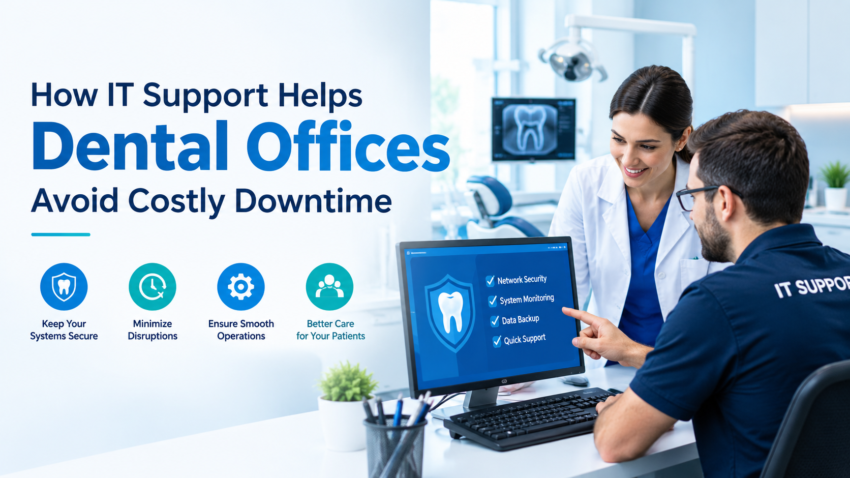
Running a dental practice involves much more than treating patients. Staff depend on computers, dental practice management software, digital imaging systems, internet connections, printers, payment systems, and cloud applications throughout the day. When one of these technologies stops working, even a small issue can quickly disrupt appointments and frustrate both employees and patients.
This is where IT support for dental offices becomes valuable. Instead of waiting for technical problems to affect daily operations, dental practices can use professional technology support to maintain reliable systems, improve cybersecurity, and resolve issues before they become major disruptions.
Why Technology Problems Can Be Serious for Dental Practices
A typical dental office may rely on several connected systems at the same time. Patient scheduling, electronic health records, digital X-rays, billing, insurance processing, communication, and administrative tasks often depend on technology.
If the network goes down, employees may struggle to access patient information. If imaging software stops working, a dentist may be unable to review important diagnostic images. A malfunctioning workstation can also slow down check-in, billing, or appointment management.
These problems are not simply technical inconveniences. They can reduce productivity and potentially affect the patient experience.
Reliable dental IT services help practices maintain the technology infrastructure needed for everyday operations.
Protecting Sensitive Patient Information
Dental offices handle sensitive information every day, including patient contact details, medical histories, insurance information, treatment records, and billing data. Protecting this information should be a major technology priority.
Strong cybersecurity measures can help reduce the risk of unauthorized access, malware, phishing attacks, and data loss. Depending on the practice’s environment, useful protections may include:
- Multi-factor authentication
- Endpoint security
- Network monitoring
- Secure backups
- Email security
- Access controls
- Security updates
- Employee cybersecurity training
HIPAA compliance is another important consideration for healthcare organizations in the United States. Technology alone does not guarantee compliance, but properly configured systems, appropriate safeguards, documented procedures, and regular security assessments can support a stronger compliance program.
Preventing Network and Internet Problems
A stable network is essential in a modern dental practice. Computers, imaging devices, printers, phones, cloud applications, and other equipment may all depend on the same infrastructure.
Slow internet or unreliable Wi-Fi can create problems throughout the office. Staff may experience delays when accessing patient records or cloud-based applications, while connected dental equipment may have difficulty communicating with workstations.
IT professionals can monitor network performance, identify bottlenecks, configure equipment correctly, and troubleshoot connectivity problems. Proactive network management can also help identify issues before they cause widespread disruption.
Keeping Dental Software Running Properly
Dental practices commonly use specialized software for scheduling, patient management, billing, imaging, and clinical documentation. These applications need to work reliably and often need to communicate with other systems.
Software conflicts, outdated applications, operating system problems, and configuration errors can interfere with normal workflows.
Instead of repeatedly troubleshooting the same issue, a dental office can benefit from structured technical support. IT specialists can investigate the underlying cause, document the solution, and help prevent recurring problems.
Managing Computers and Office Devices
Workstations are central to many dental workflows. Reception staff may use computers for appointments and billing, while clinical staff may need reliable access to patient records and imaging applications.
Printers, scanners, monitors, backup devices, and other peripherals can also create unexpected problems.
Regular maintenance can help keep these devices dependable. This may involve software updates, hardware checks, security patches, performance monitoring, and replacing aging equipment when repair is no longer practical.
Backup and Disaster Recovery Matter
Imagine losing access to patient records because of a hardware failure, ransomware incident, accidental deletion, or another unexpected event. Without a dependable backup strategy, recovering important information can be difficult and expensive.
A well-designed backup plan should consider what data needs protection, how frequently it should be backed up, where backups are stored, and how quickly the practice needs to restore operations.
Disaster recovery planning goes beyond simply creating backups. Dental practices should also know how they will restore systems and continue essential operations if a major technology failure occurs.
Supporting Remote and Cloud-Based Systems
Cloud technology has changed how many dental practices store and access information. Cloud-based applications can offer flexibility, but they still require reliable internet access, appropriate user permissions, secure authentication, and effective account management.
When cloud applications experience access problems, employees may need help determining whether the issue is caused by the local network, user account, device, or software provider.
Technical support can help identify the source of the problem and restore productivity more efficiently.
Employee Training Can Reduce Security Risks
Even sophisticated cybersecurity tools cannot completely protect a practice if employees are unaware of common threats.
Phishing emails, suspicious attachments, weak passwords, and unsafe browsing habits can create opportunities for attackers. Basic security awareness training can help employees recognize potential threats and respond appropriately.
Staff should understand practical habits such as using strong passwords, verifying unexpected requests, avoiding suspicious links, and reporting unusual activity quickly.
A Proactive Approach Is Better Than Constant Emergency Repairs
One of the biggest advantages of professional IT management is the shift from reactive troubleshooting to proactive maintenance.
Instead of waiting for a computer to fail or a security problem to appear, a dental office can monitor systems, install important updates, maintain backups, review security controls, and identify potential performance issues in advance.
This approach can reduce unexpected downtime and make technology more predictable for staff.
Choosing the Right IT Support for a Dental Office
Dental practices should look for technology support that understands the demands of healthcare environments rather than treating every business exactly the same.
Important areas to evaluate include cybersecurity, data backup, network reliability, software troubleshooting, device management, HIPAA-related safeguards, response times, and disaster recovery planning.
The goal is not simply to fix computers. Effective IT support should help create a stable, secure, and efficient technology environment that allows dental professionals to focus on patient care.
Final Thoughts
Technology has become an essential part of modern dentistry, which means technical problems can quickly become operational problems. From network outages and software failures to cybersecurity threats and data loss, dental practices face several technology challenges that require careful planning.
Reliable IT support for dental offices can help address these challenges through proactive maintenance, security improvements, backup planning, troubleshooting, and ongoing technical guidance. With the right approach, dental practices can reduce downtime, protect important information, and provide employees with the dependable technology they need to serve patients effectively.