

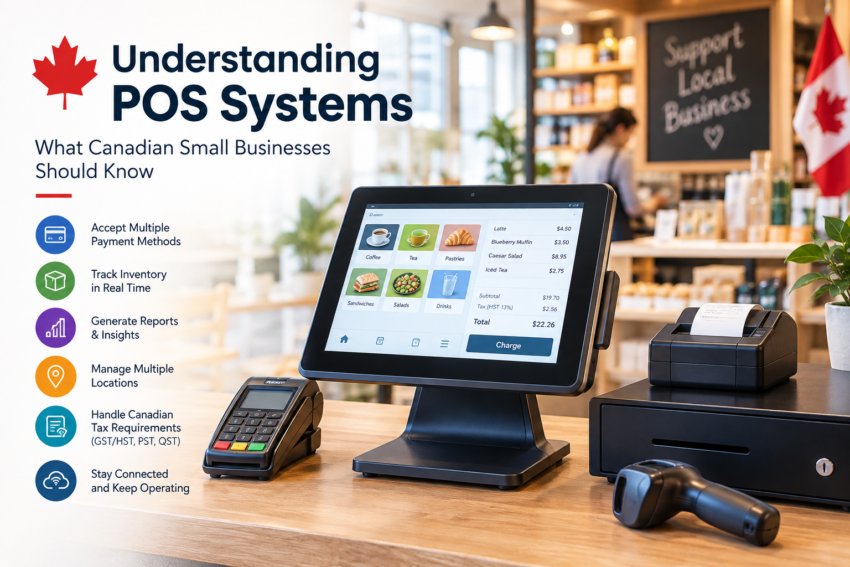
For a small business, a point-of-sale system is often one of the most important pieces of technology used every day. It is where a customer completes a purchase, but a modern POS can do much more than process payments.
Today’s systems can help businesses manage inventory, track sales, generate reports, accept different payment methods, and keep information organized across one or more locations. For Canadian businesses, there are also additional considerations, including provincial sales taxes, payment preferences, internet reliability, and the need to keep business operations running during technical problems.
Understanding how POS systems work and what features actually matter can make it easier for a business owner to choose a setup that fits the way the business operates.
What Is a POS System?
A POS, or point-of-sale system, is the technology used to complete and record a customer transaction.
The traditional cash register has evolved considerably. A modern POS may include software, a touchscreen or computer, barcode scanner, receipt printer, cash drawer, payment terminal, and inventory management tools.
When these components work together, a sale can automatically update inventory, record revenue, calculate applicable taxes, and store transaction information for reporting.
Different businesses use POS systems differently. A retail store may rely heavily on barcode scanning and inventory management, while a restaurant may need table management, order tracking, kitchen communication, and payment processing.
The important point is that there is no single POS setup that works perfectly for every business.
Why POS Systems Matter for Small Businesses
Small businesses often operate with limited staff and resources, which makes efficiency particularly important.
A well-configured POS can reduce the amount of manual work involved in everyday transactions. Instead of recording sales separately, counting inventory manually, and preparing reports from different sources, businesses can bring much of this information into one system.
A POS can help with tasks such as:
- Processing debit and credit card payments
- Accepting other supported payment methods
- Tracking products and inventory
- Recording sales history
- Managing discounts and returns
- Generating sales reports
- Monitoring employee activity
- Managing multiple business locations
The value is not necessarily in having the most advanced system available. It is in having a system that solves the business’s actual problems without creating unnecessary complexity.
POS Considerations for Canadian Businesses
Canada has some specific requirements that businesses should consider when evaluating POS technology.
One of the biggest is sales tax. Businesses may need to deal with GST, HST, PST, or QST depending on where they operate and what they sell. Ontario, British Columbia, Alberta, and Quebec, for example, have different tax structures.
A POS system should be configured appropriately for the business’s tax requirements so that applicable taxes are calculated consistently during transactions. Businesses should still work with their accountant or tax professional to ensure their overall tax setup is correct.
Payment methods are another important consideration. Canadian customers commonly use debit and credit cards, including Interac-supported payment options. A POS environment should work smoothly with the payment terminals being used by the business.
Transaction speed also matters. During a busy lunch period or a weekend rush, even small delays can create unnecessary lineups.
What About Internet Connectivity?
Internet connectivity is easy to overlook when choosing a POS system.
Many modern POS platforms rely on an internet connection for cloud-based features, payment processing, synchronization, reporting, or access to online services. If the connection becomes unreliable, the effect can extend beyond simply browsing the internet.
Some systems offer offline functionality or backup options for certain operations. Businesses should ask exactly what continues to work if the internet connection is interrupted and what happens when the connection comes back.
This is also why POS technology should be considered alongside the business’s overall connectivity setup.
A retailer with several checkout stations, security systems, cloud applications, VoIP phones, and other connected devices may need a more dependable network environment than a very small operation with only one terminal.
Businesses evaluating technology partners may therefore look at providers that understand both POS requirements and business connectivity. Companies such as CanComCo, for example, can be relevant when a business is considering POS technology alongside its broader telecom and technology infrastructure.
Inventory Management Is a Major Advantage
For many retailers, inventory management is one of the biggest reasons to move beyond a basic cash register.
When a product is sold, the POS can automatically update the inventory record. This gives staff a clearer picture of what is available and which products are selling.
Inventory information can also help businesses identify slow-moving products, popular items, and potential stock shortages.
For businesses with multiple locations, synchronized inventory can become even more useful. Managers can potentially see information across stores without maintaining completely separate records.
The quality of these features varies between POS platforms, so businesses should look carefully at how inventory is handled before choosing a system.
Choosing the Right POS System
Searching for a pos system canada businesses can use effectively should not simply be about finding the platform with the longest list of features.
Start with the basics.
What does the business sell? How many employees will use the system? How many locations are involved? Does the business need inventory management? Which payment methods are required? Does the system need to work with existing accounting software?
It is also worth considering hardware requirements. Some businesses may need barcode scanners and receipt printers, while others may prefer tablets and mobile payment devices.
Then look at support. When something goes wrong at the checkout, having access to knowledgeable technical assistance can be more useful than having dozens of features that employees rarely use.
Costs and Hidden Fees
Price is another area where businesses should look beyond the advertised monthly subscription.
The overall cost may include:
- POS hardware
- Software subscriptions
- Payment processing fees
- Installation or setup
- Technical support
- Software integrations
- Replacement equipment
- Additional user or location fees
A lower monthly price does not automatically mean a lower total cost.
Businesses should calculate what they are likely to spend over the first year and ask providers to explain any additional charges before committing.
The Role of POS in Modern Business Operations
A POS system has gradually become more than a place to take payments. It can serve as a central source of information about sales, products, customers, and daily activity.
For a small Canadian business, the right setup can make routine tasks easier while giving owners better visibility into what is happening at the point of sale.
The key is to choose technology based on the actual needs of the business rather than simply following the latest trend.
For businesses researching pos canada options, it is also worth considering how the POS will fit into the wider technology environment, including internet connectivity, communications, payment infrastructure, and other business systems.
A POS system should ultimately make everyday operations simpler. When the software, hardware, payments, inventory, and connectivity work together properly, employees can spend less time dealing with technology and more time serving customers.