

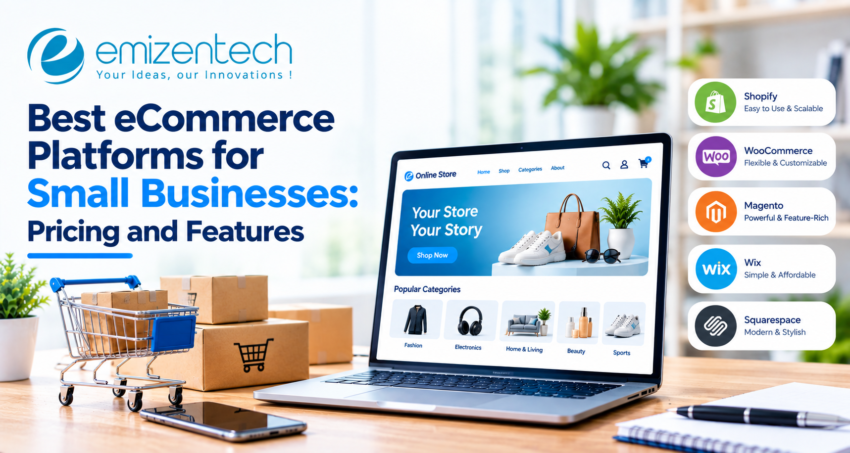
Picking a platform is one of the first big decisions when you start selling online, and it shapes almost everything that follows: how fast you launch, what you pay each month, and how easily customers find your store on Google. A cheap plan that charges heavy transaction fees or limits SEO settings can quietly hold a shop back. This guide covers the best eCommerce platforms for small businesses, comparing pricing, features, and best-fit use cases so you can choose based on your budget and goals rather than marketing claims.
What to Look for Before Choosing an eCommerce Platform
Before comparing brand names, decide which factors matter most for your store. These points help you filter options quickly and avoid paying for tools you may never use.
- Total cost: Look past the plan price to apps, themes, payment fees, and hosting.
- Ease of use: A simple dashboard matters if you manage products, orders, and marketing yourself.
- Payment options: Check supported gateways and whether using an outside processor adds extra fees.
- SEO controls: Editable URLs, meta tags, and fast page speed directly affect organic traffic.
- Room to grow: Consider product limits, staff accounts, and the integrations you may need later.
eCommerce Platforms Compared at a Glance
The table gives a quick snapshot. Prices are approximate and change often, so confirm them on each official pricing page.
|
Platform |
Starting Price |
Transaction Fees |
Best For |
Standout Feature |
|
Shopify |
~$29–39/month |
None with Shopify Payments |
Beginners |
Large app store |
|
WooCommerce |
Free plugin + hosting |
None from the plugin itself |
WordPress users |
Full control |
|
BigCommerce |
~$29–39/month |
None charged by the platform |
Growing stores |
Strong built-in tools |
|
Wix |
~$29/month |
Depends on payment gateway |
Design-first shops |
Drag-and-drop editor |
|
Squarespace |
~$23–27/month |
Lower plans may add fees |
Small catalogs |
Polished templates |
|
Square Online |
Free tier available |
Card processing fees apply |
Online + in-person sales |
Built-in POS |
Top eCommerce Platforms for Small Businesses in 2026
Each platform below suits a different kind of seller. Here is a short look at what each does well and who tends to benefit most from it.
Shopify
Shopify is built for selling and gets stores live quickly. Its large app store covers marketing, shipping, and reviews, though paid apps can raise monthly costs as the store grows.
WooCommerce
WooCommerce is a free WordPress plugin that gives full control over design and data. You pay separately for hosting and extensions, and you handle updates, so it suits owners comfortable with some technical work.
BigCommerce
BigCommerce includes many features natively, such as multichannel selling and product options, without relying heavily on apps. It charges no transaction fees of its own, which helps stores with rising sales volume.
Wix
Wix offers a drag-and-drop editor that makes design easy without code. It works well for boutique shops and service businesses adding products, but advanced scaling options are more limited.
Squarespace
Squarespace is known for clean, polished templates and an all-in-one setup. It suits brands with small catalogs, such as photographers or artists, where presentation matters more than complex inventory.
Square Online
Square Online connects an online store with in-person payments and inventory. Cafes, salons, and retail shops that already use Square’s card reader often find it the simplest way to start selling online.
eCommerce Platform Pricing Breakdown
The monthly plan price is only part of what you will actually pay. These are the expenses that most often change the final bill for small stores.
Monthly vs Annual Billing
Many platforms advertise their lowest price on annual billing. Paying month to month usually costs more, so check which rate is shown before comparing plans side by side.
Transaction and Payment Fees
Card processing typically costs a percentage plus a fixed fee per sale. Some platforms add a further charge if you use an outside payment gateway instead of their own.
Apps, Themes, and Plugins
Premium themes and paid apps for email, reviews, or subscriptions can add up quickly. A store using five or six paid tools may spend more on extras than on the plan itself.
Hosting and Maintenance
Self-hosted options like WooCommerce need separate hosting, security, and backups. Budget for these, or for occasional developer help, when comparing them with all-in-one plans.
Key Features to Compare Across Platforms
Most platforms cover the basics, but the depth of each tool varies. Compare these areas carefully before committing, since switching platforms later takes time and effort.
Built-In SEO Tools
Look for editable page titles, clean URLs, image alt text, and fast loading. A bakery selling online, for example, needs product pages that can rank for local search terms.
Inventory and Order Management
Stock tracking, low-inventory alerts, and shipping label support save hours each week. Sellers with many variants, such as sizes and colors, should check variant limits before choosing.
Multichannel Selling
Selling on Instagram, Facebook, Amazon, or Google from one dashboard keeps stock counts accurate. Check which channels each plan connects to without extra add-ons.
AI and Automation Tools
Product description writers, abandoned cart emails, and basic analytics help small teams work faster. They are useful support, but rarely reason enough to choose one platform over another.
Which Platform Fits Your Business Type?
The right choice depends on who you are and how you sell. Use these scenarios as a starting point, then test a free trial before deciding.
Best for Beginners
Shopify and Wix are easy to set up and come with guided onboarding, templates, and built-in hosting, so first-time sellers can launch without technical help.
Best for Tight Budgets
Square Online’s free tier or WooCommerce with basic hosting keeps upfront costs low. Keep in mind that payment fees and extras can still add up over time.
Best for Design-Focused Brands
Squarespace and Wix give strong visual control, which suits brands like jewelry makers or print studios where the look of the store drives sales.
Best for Fast-Growing Stores
BigCommerce and Shopify handle rising order volumes well, but growth often brings needs that standard settings can’t cover, such as custom checkout flows, ERP connections, or complex catalog logic. At that stage, many businesses turn to eCommerce Development services to build these features on top of their platform instead of working around its limits.
Best for WordPress Users
WooCommerce fits neatly into an existing WordPress site, keeping blog content and store management in one place without switching between tools.
Best for Selling In-Person and Online
Square Online and Shopify POS sync stock between a physical counter and the web store, which prevents overselling at markets, pop-ups, and retail shops.
Common Mistakes to Avoid When Picking a Platform
Small errors at the selection stage can turn into expensive fixes later. These three come up most often.
Ignoring Transaction Fees and Add-On Costs
A low plan price can hide payment fees, paid apps, and premium themes. Estimate a realistic monthly total before deciding.
Choosing Only on Price
The cheapest plan may lack SEO settings, staff accounts, or reporting, forcing an early upgrade or an unplanned switch.
Overlooking Migration and Scalability
Moving products, customer data, and URLs later is time-consuming and can hurt rankings if redirects are missed. Think about where your store will be in two years.
Conclusion
Choosing among the best eCommerce platforms for small businesses comes down to balancing cost, ease of use, and future growth. Start with a realistic budget and compare the total monthly cost, not just the plan price. As your store grows, needs like custom integrations or a smoother checkout may come up, and EmizenTech can help extend the platform when its standard settings fall short. Before you commit to any option, try a free trial, check the fees, and make sure the platform can support where your business will be in a year or two.
Frequently Asked Questions
1.What is the best platform for a small business just starting out?
Shopify and Wix are common starting points thanks to simple setup and built-in hosting. The best fit still depends on your budget and the type of products you sell.
2. Which platform costs the least overall?
WooCommerce and free tiers like Square Online have low entry costs. Still, include hosting, extensions, and processing fees in your estimate to see the real total.
3. Is Shopify or WooCommerce better for small stores?
Shopify is quicker to launch and easier to manage. WooCommerce offers more control and lower software costs, but it needs more technical upkeep.
4. Do I need a developer to launch an online store?
Not for a basic store. Hosted platforms offer templates and guided setup, though custom features usually call for technical help.
5. Can I switch platforms later without losing SEO rankings?
Yes, with planning. Keep URLs consistent or set up 301 redirects, and carry over page titles, descriptions, and content carefully.
6. Which platforms charge no transaction fees?
BigCommerce charges none itself, and Shopify charges none when you use Shopify Payments. Payment processors still take standard card fees.