
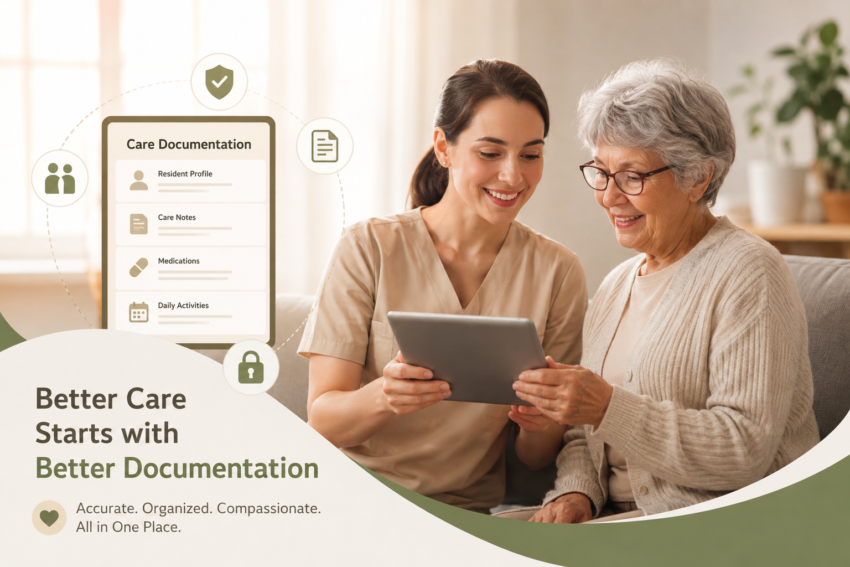
Accurate documentation is one of the most important parts of managing an assisted living community. Staff need to record resident information, daily observations, medications, care activities, incidents, and changes in condition. When these records are handled with paper forms or disconnected systems, important information can be missed, duplicated, or difficult to find.
Assisted living software can make this process much easier by bringing essential resident and care information into one organized system. Instead of spending valuable time searching through files or completing repetitive paperwork, caregivers can create, update, and review documentation more efficiently.
Why Care Documentation Becomes Difficult
Assisted living staff often have busy schedules and many responsibilities throughout the day. Documentation may need to be completed after medication administration, personal care, meals, activities, appointments, or changes in a resident’s condition.
Manual documentation creates several common problems:
- Paper records can be misplaced or damaged.
- Handwritten notes may be difficult to read.
- Staff can spend too much time entering the same information.
- Important resident updates may not reach the right team members quickly.
- Reviewing older records can take considerable time.
- Incomplete documentation can create compliance and operational concerns.
These problems don’t necessarily happen because staff aren’t careful. They often result from processes that aren’t designed for the pace of residential care.
How Assisted Living Software Organizes Resident Records
A digital system can provide a centralized location for important resident information. Depending on the software, staff may be able to manage demographics, assessments, care plans, progress notes, medication information, schedules, incidents, and other documentation from one platform.
This makes it easier for authorized staff to find current information without sorting through multiple folders or applications.
Centralized records can also improve consistency. Staff can follow standardized documentation processes rather than creating their own methods for recording information.
Improving Daily Progress Notes
Resident progress notes provide a record of observations and care provided during a resident’s stay. These notes can help staff understand changes in behavior, health-related observations, participation, appetite, mobility, and other relevant areas.
Healthcare documentation software can simplify the process of creating these records. Structured templates and predefined fields can help staff capture relevant details while reducing unnecessary typing.
For example, a caregiver may document a resident’s participation in an activity, note a change in appetite, or record an observation that should be communicated to other members of the care team.
Better-organized progress notes make it easier to identify patterns and review a resident’s history when additional attention is needed.
Reducing Documentation Errors
Small documentation mistakes can create larger administrative problems. Missing dates, incomplete notes, duplicate entries, and inconsistent terminology can make records harder to understand.
Digital documentation tools can reduce some of these issues by using required fields, standardized formats, timestamps, and controlled access. Depending on the system, alerts or reminders may also help staff complete tasks that might otherwise be forgotten.
This doesn’t eliminate the need for staff judgment. Instead, it provides a more structured environment for recording information accurately.
Making Information Easier to Access
Care teams may need to review resident information at different points throughout the day. Searching for a specific paper record can slow down that process.
With a centralized digital record, authorized users can generally locate information much faster. A staff member may be able to review recent progress notes, care instructions, medication records, or other relevant information without searching through several physical files.
Faster access can be especially useful during shift changes. The incoming team can review recent documentation and better understand what occurred during the previous shift.
Supporting Better Communication Between Staff
Good documentation isn’t only about recordkeeping. It also supports communication.
If one caregiver notices a meaningful change in a resident’s routine or condition, documenting that observation gives other authorized team members a written reference. This can reduce reliance on memory or informal verbal communication.
A shared documentation system can help create continuity between caregivers, supervisors, and other members of the care team. Everyone works from the same current record rather than maintaining separate notes.
Saving Time on Administrative Work
Documentation takes time, and repetitive administrative tasks can reduce the amount of time staff have available for direct resident care.
Assisted living software can streamline common workflows by reducing manual data entry and keeping related information together. Templates, automated timestamps, task lists, electronic forms, and centralized records can make routine documentation faster.
The time saved may be small for an individual task, but those savings can add up across an entire community and over many shifts.
Protecting Sensitive Resident Information
Resident records contain sensitive information, so security should be considered when choosing a digital documentation system.
Organizations should evaluate features such as user permissions, secure authentication, audit trails, data backups, and access controls. Staff should only have access to information appropriate for their responsibilities.
Technology alone doesn’t guarantee secure records. Proper staff training, strong passwords, access policies, and regular system reviews are also necessary.
Choosing the Right Documentation Solution
Not every assisted living community has the same needs. Before selecting software, administrators should consider the workflows their staff actually use.
Useful questions include:
- Can staff quickly document resident progress?
- Is the interface easy to learn?
- Can care plans and resident records be managed centrally?
- Does it support medication documentation?
- Can authorized users access information when needed?
- Does it provide useful reports?
- Are permissions available for different staff roles?
- Can the system reduce duplicate data entry?
- Does it support the community’s documentation requirements?
A system that looks powerful but is difficult for caregivers to use may not solve the underlying problem.
Better Documentation Supports Better Care
Good documentation gives care teams a clearer picture of each resident’s needs and daily experience. It can help staff recognize changes, communicate more effectively, maintain consistent records, and spend less time dealing with paperwork.
The goal of assisted living software shouldn’t simply be to replace paper forms. The bigger benefit is creating a more organized workflow where accurate information is easier to record, find, review, and share with authorized team members.