
You spend weeks building a website.
Your design looks perfect, your content is well-written, and everything seems ready to attract traffic.
But there is one problem that silently hurts thousands of websites every day.
Your website is loading too slowly.
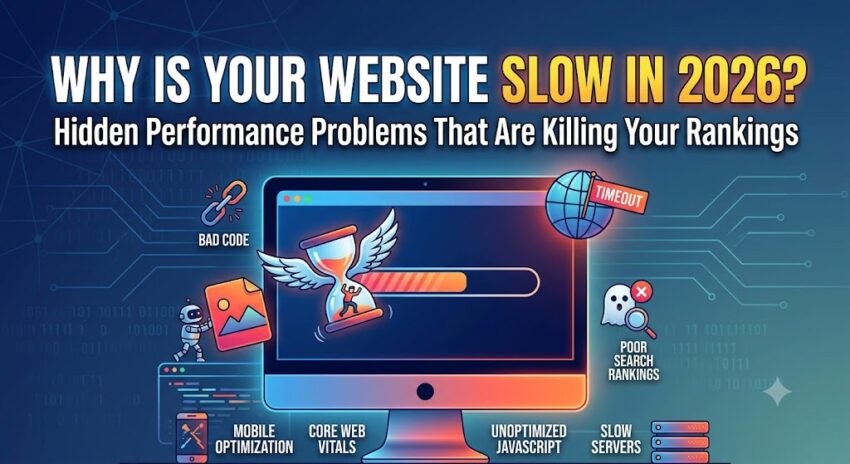
And in 2026, a slow website does not just frustrate visitors — it directly impacts Google rankings, user experience, conversions, and how AI search engines evaluate your pages.
This is exactly why website speed optimization has become one of the most important parts of modern SEO.
If you have ever searched:
- Why is my website slow?
- How can I improve website loading speed?
- What is the best website speed optimization plugin?
You are already facing the same problem most website owners struggle with.
Let’s understand what causes slow websites and how to fix it properly.
1. Heavy Images Are Destroying Loading Speed
One of the most common performance problems is oversized images.
Website owners often upload high-quality images directly without compressing them.
This creates unnecessary page weight, forcing browsers to load large files before displaying the page.
Modern websites now rely on advanced image compression technologies such as WebP and AVIF as part of professional website performance optimization.
Large unoptimized images can instantly increase loading time by several seconds.
And slower pages often lead to higher bounce rates.
2. Too Much JavaScript Creates Performance Bottlenecks
Modern websites use dozens of scripts.
Analytics scripts.
Third-party widgets.
Animations.
Tracking pixels.
Chat integrations.
Extra plugins.
Every script adds additional browser processing.
This leads to render-blocking resources, delayed page interaction, and poor Core Web Vitals optimization scores.
Google specifically measures performance through metrics like:
- Largest Contentful Paint (LCP)
- Interaction to Next Paint (INP)
- Cumulative Layout Shift (CLS)
Poor JavaScript management is one of the biggest reasons websites fail speed audits.
3. Your Caching Setup May Be Incorrect
Caching allows browsers to store website resources temporarily so pages load faster on repeat visits.
But many websites either have no caching configured or use outdated caching systems.
Without proper optimization:
- pages load slower
- server requests increase
- hosting resources get overloaded
- visitors experience delays
This is one reason website owners search for the best WordPress optimization plugin to improve overall performance.
A properly configured page speed optimization plugin can drastically reduce loading times.
4. Too Many Plugins Are Slowing Down WordPress Websites
WordPress gives flexibility.
But many site owners install plugins for everything.
SEO plugin.
Security plugin.
Image plugin.
Backup plugin.
Popup plugin.
Analytics plugin.
Form plugin.
The problem is simple.
Every plugin adds scripts, stylesheets, and database requests.
Over time, plugin overload becomes a major performance issue.
This is why choosing a reliable WordPress speed optimization plugin is extremely important if you want a fast and scalable website.
5. Google Uses Core Web Vitals as a Ranking Signal
Website speed is no longer just a technical improvement.
Google now uses website performance as part of its ranking systems.
A fast website improves:
- search engine crawling efficiency
- user engagement
- mobile performance
- conversion rates
- overall SEO visibility
In short:
Slow websites struggle to compete.
Fast websites perform better in search.
This is why Core Web Vitals optimization is now part of every serious SEO strategy.
So How Do You Actually Fix Website Speed Problems?
Many website owners try fixing speed manually.
But modern performance optimization involves multiple technical layers working together.
For example:
- image compression
- JavaScript defer loading
- CSS minification
- lazy loading
- browser caching
- CDN integration
- database cleanup
- render-blocking script removal
Managing all these manually can become extremely technical.
This is why website owners increasingly use advanced website speed optimization plugins to automate performance improvements.
A Smarter Approach to Website Performance Optimization
Instead of managing multiple optimization tools separately, many developers now prefer all-in-one performance solutions.
Platforms like W3Speedster help websites improve speed through advanced optimization systems built specifically for modern web performance.
It helps automate:
- Core Web Vitals optimization
- image compression
- JavaScript optimization
- CSS optimization
- caching configuration
- page speed optimization
And unlike many traditional plugins, it supports multiple platforms including:
- WordPress
- Magento
- Laravel
- Joomla
- Drupal
- PrestaShop
- Core PHP applications
Whether you need a WordPress page speed optimization plugin or enterprise-level website speed optimization for custom applications, having the right performance stack matters.
Final Thoughts
A slow website is not just frustrating.
It quietly damages rankings, hurts conversions, and reduces user trust.
The websites dominating search results in 2026 are not always the ones with better content.
They are often the websites delivering a faster user experience.
Before investing more money in ads, SEO, or content marketing, ask yourself one simple question.
Is my website performing fast enough to compete?
Because sometimes improving speed can create a bigger SEO impact than publishing more content.
And choosing the right website speed optimization plugin can make that difference faster than you think.