
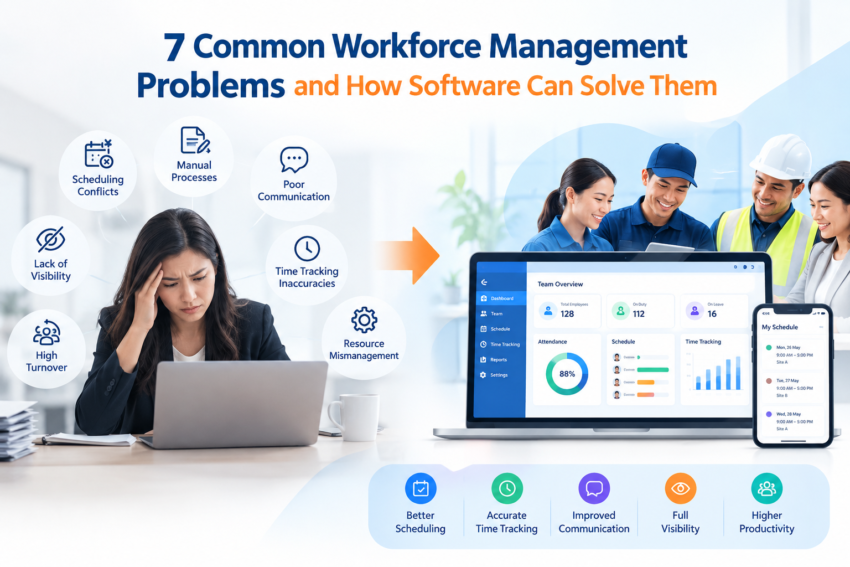
Problems relating to the scheduling process, including scheduling problems and missed jobs, are daily issues for service organizations and cause losses in terms of time and money. Workforce management systems solve all these problems through their ability to integrate the process of scheduling, real-time tracking, job distribution, and workforce communication in one system.
If you’re a manager of a field service workforce, then you’re no stranger to those issues. The tech shows up at the wrong location. Jobs are double-booked. Your star employee is waiting around while someone else is overburdened. Such events are not uncommon — they happen daily to ops managers whose teams lack the proper tools to perform effectively.
Here are the seven most common workforce management issues and how the right software helps.
1. Scheduling Conflicts That Waste Time and Resources
Manual scheduling becomes impossible rather quickly, especially when it comes to assigning tasks within a spreadsheet or whiteboard. Once there is a problem, such as two jobs being assigned to one worker at once, there are consequences that will affect the customer experience, financial performance, and even staff attitude.
With workforce management software, all the scheduling is done with the help of algorithms and predetermined rules. All you need to do is define available windows, necessary skills, and geographic zones for each task.
2. Poor Real-Time Visibility Into Field Operations
Are you really aware of where your staff is located or what they are doing when they are in the field? Not many operations managers are — especially not in real time. Without that kind of insight, you’ll have to deal with a delayed reaction to problems, customers who may be escalated, and no real data to drive better results.
Field service management software can take care of that through GPS tracking, job reporting, and even mobile check-ins, which allow managers to see exactly where each one of their technicians is and what jobs he or she is completing.
3. Missed or Delayed Jobs
But a lost job means not only an invoice but a broken relationship. This happens regularly because teams use phone calls and paper-based job sheets to communicate their tasks.
Digital job dispatch lets employees have all the necessary information about jobs, sites, and clients right on their mobile phones. Automatic alerts prevent any missed appointments. When a job takes longer than planned, the system will notify you about this, and managers can reallocate other tasks.
4. Inefficient Workforce Allocation
Are you using your team’s time as productively as possible?
But that’s not the case for most companies. With the lack of information, it becomes almost impossible to be sure whether a technician is truly fully loaded or just badly allocated. Over-staffing one department while under-staffing another one has an immediate effect on your bottom line.
Field service management software measures the number of hours worked by each employee, their efficiency, and downtime. All that gives you the ability to adjust the workload of your employees according to the difficulty of the job and geographical distance.
5. Lack of Communication Between Office and Field Teams
When there is a disconnect between your office and field employees, mistakes happen. The client reschedules their appointment time. The technician requires a component that is not available on the van. A new set of instructions for the task is needed, but the employee at the location never gets them.
A centralised platform helps bring everyone up to speed via in-app communication and real-time job updates. Since everything is in one system, any changes made in the office can be seen instantly by the field employee and the other way around.
6. Inconsistent Timekeeping and Payroll Errors
The drawbacks of paper timesheets and manual clocking-in procedures consist of two things: the inaccuracy of data and time consumption in administration. No matter whether it is incomplete information, overstated working hours, or conflicts with payroll, the expenses are significant — not only in financial terms but in staff relationships too.
Workforce management software will help you measure your employees’ work hours accurately and associate them with particular projects and sites. Integration with payroll systems will minimize the risk of mistakes. Employees will check in and out using their smartphones, and managers can view and approve everything easily and quickly.
7. No Audit Trail or Compliance Records
In regulated industries, or even in situations when disagreements can occur in any organization, you require proof. Who was present on the job? What was accomplished? Did the employee complete the mandatory checklist? If not using a digital system, then it is all up to your memory and paper.
Workforce management software systems automatically generate audit trails in the form of job completion proofs, digital signatures, pictures with time stamping, and compliance checklists. This provides protection for your company during any disagreement, is beneficial for quality assurance, and makes compliance much easier.
What to Look for in Workforce Management Software
Not all platforms are built the same. When evaluating your options, look for these capabilities:
- Drag-and-drop scheduling with conflict detection
- Real-time GPS tracking for field teams
- Mobile job management for field workers
- Automated notifications for workers and customers
- Integrated timesheets and payroll reporting
- Digital job completion records with photo and signature capture
- Reporting dashboards to track productivity and job outcomes
The goal isn’t just to digitise what you’re already doing — it’s to eliminate the manual bottlenecks that slow your team down and introduce errors.
The Business Case Is Clear
Inefficiencies are costly. Lost work, scheduling issues, and payroll disputes all carry an inherent monetary value attached to them. In addition to their monetary value, they also consume management resources that could be used for business growth.
Companies that provide services can benefit from employing the appropriate software and are seen reporting quicker job completion times, improved customer satisfaction levels, and reduced administrative overhead.
Genic Teams is built specifically for service businesses managing field teams. If these problems sound familiar, it’s worth exploring what the right platform can do for your operation — visit the Genic Teams website to see how their workforce management tools are designed to solve exactly these challenges.
Frequently Asked Questions
What is workforce management software used for?
Workforce management software is a solution for scheduling work staff, tracking field staff, managing task assignments, timesheet management, and monitoring the performance of the team members on an ongoing basis. This software is a substitute for manual operations, as it makes the process more effective for service businesses.
How does field service management software reduce missed jobs?
Field service management software ensures that job reminders are sent automatically, provides job information directly on the mobile devices of the employees, and highlights schedule conflicts before they arise. Managers are able to track job performance in real time and reassign the job in case there is any delay, thus preventing missed jobs.
Can workforce management tools help with payroll accuracy?
Yes. Automated time tracking is integrated with all job-related locations and linked with payroll reporting in most of the workforce management systems. It removes any potential errors, disputes, and manual effort, especially in those cases where companies pay their employees on an hourly basis.
What’s the difference between workforce management and field management software?
Workforce management software deals with the larger aspects of scheduling, time tracking, and staff allocation. Field management software is more specific, as it concentrates on field management activities such as tracking locations, job dispatching, and field data collection. There are many applications that incorporate these two into one.
How quickly can a service business see results from workforce management software?
Most service businesses see improvements in the first few weeks, usually with regard to scheduling and communication within the office and field staff. Improvements in other aspects such as payroll and job completion usually manifest in the first month up to three months after consistent use.
Is workforce management software suitable for small service businesses?
Of course. The advantage is most pronounced for small service firms since they do not have many administrative personnel and cannot afford mistakes in their operations. Cloud-based solutions are scalable and economical, which means that a company employing just five field employees will be on par with a significantly larger firm.