
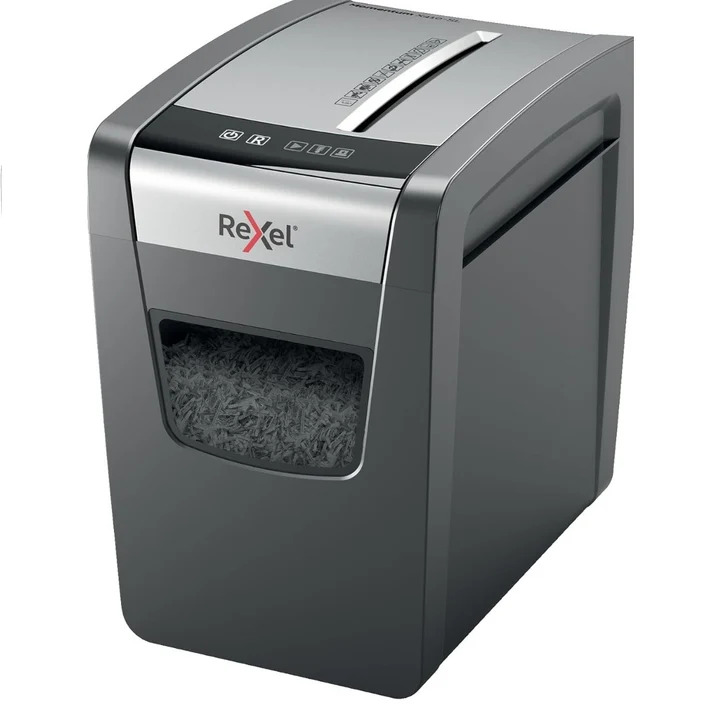
A shredder is designed to make document disposal quick and convenient, but like any machine with moving parts, it needs proper use and maintenance to perform reliably.
Paper jams, overheating, slow operation, unusual noises, and feeding problems are some of the most common issues users experience with shredders. In many cases, these problems can be reduced by following the manufacturer’s instructions, respecting the machine’s sheet capacity, keeping the cutting mechanism clean, and maintaining the shredder according to its specifications.
Whether you use a shredder at home, in a home office, or in a busy workplace, basic maintenance can help you get more consistent performance from the machine.
This guide explains how to maintain a paper shredder, prevent common problems, and know when troubleshooting is appropriate.
Why Is Shredder Maintenance Important?
A shredder processes paper through a mechanical cutting system.
Every time documents pass through the machine, small pieces of paper and dust can accumulate around the cutting mechanism and feed area.
Without appropriate maintenance, this buildup can contribute to:
- Paper-feeding problems
- Jams
- Reduced shredding performance
- Increased noise
- Slower operation
- Motor strain
- Uneven shredding
- Overheating
Regular maintenance does not eliminate every possible problem, but it can help keep the machine operating as intended.
How Often Should a Shredder Be Maintained?
There is no single maintenance schedule that applies to every machine.
Maintenance requirements depend on:
- Shredder type
- Cutting technology
- Frequency of use
- Amount of paper processed
- Manufacturer recommendations
- Operating environment
Someone shredding a few pages occasionally will generally have different maintenance requirements from an office processing hundreds or thousands of pages.
The safest approach is to follow the maintenance instructions provided with your specific model.
How to Clean a Paper Shredder
Paper dust can accumulate around the feed opening and cutting mechanism.
A basic cleaning routine can help prevent buildup.
Step 1: Turn the Machine Off
Before cleaning, switch the machine off and disconnect it from the power supply when the manufacturer’s instructions require this.
Step 2: Empty the Bin
Remove and empty the waste container.
Step 3: Inspect the Feed Opening
Check for visible paper pieces or debris.
Step 4: Clean Accessible Areas
Use only cleaning methods recommended by the manufacturer.
Do not pour liquid into the machine.
Step 5: Check the Cutting Area
If accessible according to the manufacturer’s design, inspect for paper buildup.
Never put your hands into the cutting mechanism.
Step 6: Reassemble Correctly
Make sure the waste bin and other removable components are properly positioned before restarting the machine.
How to Prevent Paper Shredder Jams
Paper jams are among the most common shredder problems.
Fortunately, many jams can be prevented through correct operation.
Do Not Exceed the Sheet Capacity
Every machine has a recommended maximum number of sheets per pass.
Exceeding that limit can place additional stress on the feeding and cutting mechanisms.
Avoid Unapproved Materials
Do not insert materials that the manufacturer does not support.
Straighten Folded Documents
Folded or crumpled paper may feed differently from flat sheets.
Empty the Bin
An excessively full waste container can affect the movement of shredded material.
Maintain the Cutting Mechanism
Follow the manufacturer’s recommended lubrication and maintenance procedures.
How to Fix a Paper Shredder Jam
If paper becomes stuck, do not force it through the machine.
Follow these general steps:
- Stop feeding paper.
- Use the reverse function if the machine provides one.
- Allow the mechanism to release the paper.
- Remove loose paper only according to the manufacturer’s instructions.
- Switch the machine off before performing any further inspection.
- Clear accessible debris safely.
- Restart the machine once the jam has been resolved.
If the paper remains trapped or the machine shows signs of mechanical failure, consult the product manual or qualified service support.
Never insert your hands or tools into the cutting mechanism while the machine is connected to power.
What Causes a Shredder to Overheat?
A shredder’s motor generates heat during operation.
If the machine operates continuously for too long, the accumulated heat may trigger its thermal protection.
Common causes include:
- Excessive continuous use
- Large shredding sessions
- Exceeding the recommended sheet capacity
- Repeated operation without cooling
- Operating a light-duty machine beyond its intended workload
Many shredders automatically stop when they become too hot.
This is a protective feature rather than necessarily a sign that the machine has permanently failed.
How to Prevent Shredder Overheating
The easiest way to reduce overheating is to follow the manufacturer’s duty-cycle recommendations.
If your machine is designed for a particular operating period, allow it to cool for the recommended amount of time.
You should also:
- Avoid overloading the feed.
- Process large batches gradually.
- Keep ventilation areas unobstructed.
- Avoid unnecessary continuous operation.
- Choose a machine appropriate for your workload.
A home paper shredder machine may have very different operating specifications from a heavy-duty office model.
What Is a Shredder Duty Cycle?
Duty cycle describes how long a shredder can operate before requiring a cooling period.
For example, a manufacturer may specify a particular continuous runtime followed by a rest period.
This specification is particularly important for businesses and home offices.
If you regularly process large document batches, compare duty cycles before purchasing a machine.
A high sheet capacity does not necessarily mean the machine is designed for continuous operation.
Why Is My Shredder Running Slowly?
Slow shredding can have several possible causes.
These may include:
- Feeding too many sheets
- Thick paper
- Paper buildup
- Required lubrication
- Motor overheating
- Machine limitations
- Mechanical problems
First, stop the machine and allow it to cool if it has been operating continuously.
Then check the manufacturer’s recommended troubleshooting and maintenance procedures.
Do not assume that slow performance means the motor has failed.
Why Does My Shredder Make a Strange Noise?
Shredders naturally make noise while operating.
However, a sudden change in sound may indicate a problem.
Possible causes include:
- Paper jam
- Foreign object
- Paper buildup
- Mechanical wear
- Overloading
- Cutting mechanism requiring maintenance
If you hear grinding, clicking, or another unusual sound, stop the machine and investigate according to the manufacturer’s instructions.
Continuing to operate a machine that is making an abnormal mechanical noise could potentially worsen the problem.
Why Does My Shredder Keep Stopping?
A shredder can stop automatically for several reasons.
Possible causes include:
Overheating
The thermal protection system may have activated.
Full Bin
Some machines stop when the waste container is full.
Paper Jam
A blockage may prevent normal operation.
Overload
Too much paper may have been inserted.
Safety Sensor
The machine may detect that a door, bin, or other component is not correctly positioned.
Power Problem
Check the power connection and switch.
Always check the user manual for the specific warning indicators used by your machine.
What Should You Do If the Shredder Will Not Turn On?
If a shredder does not start, check the basics first.
Check the Power
Make sure the machine is correctly connected to the power supply.
Check the Main Switch
Confirm that the machine is switched on.
Check the Bin
Some shredders will not operate if the waste container is not correctly positioned.
Check for a Jam
A jam can prevent the machine from starting.
Allow It to Cool
If the machine was recently used for an extended period, thermal protection may have activated.
If the problem persists, consult the manufacturer’s troubleshooting instructions.
How Does Lubrication Help a Shredder?
Some shredders require lubrication to help maintain the cutting mechanism.
Appropriate lubrication can help reduce friction and support smooth operation.
However, not every machine has identical lubrication requirements.
The correct lubricant and application method should come from the manufacturer.
Do not use random oils or household lubricants unless they are specifically approved for your machine.
How Often Should a Shredder Be Lubricated?
The correct frequency depends on the model and workload.
A frequently used office machine may require different maintenance from an occasionally used household shredder.
Follow the manufacturer’s instructions for:
- Lubricant type
- Application method
- Frequency
- Quantity
If the manufacturer provides a specific maintenance schedule, use that as your primary reference.
Can Overloading Damage a Shredder?
Repeatedly exceeding the recommended sheet capacity can place additional stress on the feeding system, motor, and cutting mechanism.
It can contribute to:
- Jams
- Slow operation
- Overheating
- Mechanical strain
- Reduced performance
A machine’s maximum sheet capacity should be treated as an operating limit.
For regular high-volume work, choose a machine designed for the required workload instead of routinely exceeding the capacity of a smaller model.
Can You Shred Folded Paper?
It depends on the machine.
Folded paper can be thicker than a single flat sheet, which can increase the load placed on the cutting system.
If the manufacturer does not specifically prohibit folded paper, check the machine’s sheet-capacity guidance.
For large or heavily folded documents, flattening them first can make feeding easier.
Can You Shred Staples?
Some shredders are specifically designed to handle staples.
Others are not.
The same principle applies to:
- Paper clips
- Credit cards
- CDs
- Envelopes
- Laminated materials
Never assume that a shredder can process a material simply because another model can.
Check the individual manufacturer’s specifications.
Can You Shred Credit Cards?
Some shredders support credit-card destruction.
However, this feature varies between machines.
If card shredding is important to you, confirm that the model specifically supports it before inserting a card.
Also check whether the manufacturer provides a separate feed method for cards.
How to Reduce Paper Dust
Paper dust is a natural byproduct of document shredding.
You can reduce buildup by:
- Emptying the waste bin regularly
- Cleaning accessible areas
- Following maintenance instructions
- Avoiding excessive overloading
- Using appropriate paper
- Maintaining the cutting mechanism
Do not use compressed air or liquids unless the manufacturer specifically recommends them.
Improper cleaning methods can push debris deeper into the machine or damage components.
Why Does My Shredder Produce Larger Pieces?
The particle size depends on the cutting technology.
Strip-cut machines produce long strips.
Cross-cut machines produce smaller particles.
Micro-cut machines produce much finer particles.
If your machine suddenly starts producing noticeably different results, there could be a feeding or mechanical issue.
Compare the output with the manufacturer’s stated cutting specifications.
Can a Dull Cutting Mechanism Cause Problems?
A cutting mechanism that is not operating correctly can contribute to poor shredding performance.
Possible symptoms include:
- Uneven particles
- Increased noise
- Reduced capacity
- Paper pulling problems
- More frequent jams
If maintenance does not resolve the issue, the cutting components may require professional inspection.
Do not attempt to sharpen or modify shredder blades yourself.
How to Maintain an Automatic-Feed Shredder
Automatic-feed machines have additional feeding components compared with basic manual-feed shredders.
Maintenance may involve:
- Keeping the automatic-feed compartment clean
- Removing paper dust
- Avoiding overloading
- Checking feed rollers
- Emptying the waste bin
- Following manufacturer-specific lubrication instructions
The exact maintenance procedure varies by model.
If an automatic feeder begins pulling multiple sheets incorrectly, consult the machine’s manual before attempting repairs.
How to Maintain a Shredder in an Office
Office machines often process significantly more paper than household models.
A simple maintenance routine can include:
Daily or Frequent Checks
- Empty the bin when necessary.
- Check for visible paper buildup.
- Avoid exceeding capacity.
Regular Maintenance
- Clean accessible areas.
- Follow lubrication instructions.
- Check feed components.
- Inspect for unusual sounds.
Periodic Review
- Check machine performance.
- Review whether the shredder still meets office workload requirements.
- Address recurring jams or overheating.
A maintenance schedule should reflect the machine’s actual usage.
When Should You Stop Using a Shredder?
Some problems should not be ignored.
Stop using the machine if you notice:
- Burning smells
- Smoke
- Electrical damage
- Severe mechanical noise
- Repeated unexplained shutdowns
- Damaged power cables
- Visible structural damage
Disconnect the machine from power where appropriate and follow the manufacturer’s safety instructions.
Do not attempt electrical or mechanical repairs unless you are qualified to perform them.
When Should You Replace a Shredder?
Maintenance can solve many routine problems, but replacement may become sensible when:
- Repairs are no longer practical.
- The machine cannot handle your workload.
- It overheats frequently.
- Jams happen repeatedly despite correct use.
- The security level is no longer appropriate.
- The machine is significantly slower than your requirements.
- Replacement parts or service are unavailable.
Before replacing it, check whether the problem is caused by incorrect use or maintenance.
How to Choose a More Reliable Shredder
If you repeatedly experience problems with a machine, your workload may exceed its intended capacity.
When purchasing a replacement, consider:
- Cutting type
- Security rating
- Sheet capacity
- Shredding speed
- Duty cycle
- Bin capacity
- Automatic feeding
- Jam protection
- Overload protection
- Warranty
- Manufacturer support
For example, an office processing large volumes of confidential paperwork may need a very different machine from a household that shreds a few documents each month.
Shredder Maintenance Checklist
Use this simple checklist to keep your machine in good working condition:
- Follow the manufacturer’s operating instructions.
- Stay within the recommended sheet capacity.
- Empty the waste bin regularly.
- Keep the feed opening clean.
- Follow lubrication recommendations.
- Allow the machine to cool.
- Avoid unapproved materials.
- Clear jams according to the manufacturer’s instructions.
- Watch for unusual sounds.
- Check the power cable for visible damage.
- Keep ventilation areas clear.
- Arrange professional service when necessary.
Final Thoughts
A well-maintained shredder machine can provide reliable document destruction for years, but proper operation is just as important as maintenance.
The most common problems—including paper jams, overheating, slow operation, unusual noises, and automatic shutdowns—can often be reduced by staying within the manufacturer’s specifications and following the recommended maintenance routine.
Avoid overloading the machine, empty the waste bin regularly, keep the feed area clean, and use only materials approved by the manufacturer.
If you regularly process large quantities of documents, make sure your paper shredder machine is designed for that workload. A machine that is too small for your requirements may experience frequent overheating and interruptions even when used correctly.
Most importantly, never ignore serious warning signs such as smoke, burning smells, damaged electrical components, or severe mechanical noise.
The goal of maintenance is not simply to make the machine last longer. It is to ensure that the shredder continues to operate safely, efficiently, and according to its intended specifications.
For households and businesses looking for other useful products alongside office equipment, including toys near me, Toyzinn offers a variety of products across different categories.
Frequently Asked Questions
1. How often should I maintain my paper shredder?
Maintenance frequency depends on the model and how often it is used. Follow the manufacturer’s recommendations for cleaning, lubrication, and servicing.
2. Why does my paper shredder keep jamming?
Common causes include exceeding the sheet capacity, inserting unsuitable materials, folded paper, paper buildup, or insufficient maintenance.
3. How do I fix a paper shredder jam?
Use the reverse function if available and follow the manufacturer’s jam-clearing procedure. Never put your hands into the cutting mechanism.
4. Why does my shredder overheat?
Extended continuous operation, overloading, and insufficient cooling time can cause overheating. Follow the machine’s recommended duty cycle.
5. How can I prevent my shredder from overheating?
Stay within the recommended sheet capacity, avoid unnecessary continuous operation, and allow the machine to cool according to the manufacturer’s instructions.
6. How often should I lubricate a paper shredder?
There is no universal schedule. Follow the manufacturer’s instructions for the specific machine, including the recommended lubricant and application method.
7. Why is my shredder making a strange noise?
A sudden unusual noise may indicate a jam, paper buildup, foreign object, overloading, or mechanical problem. Stop operation and check the manufacturer’s troubleshooting instructions.
8. Why won’t my paper shredder turn on?
Possible causes include a power issue, full or incorrectly positioned bin, paper jam, safety sensor activation, or overheating protection.
9. Can I use household oil to lubricate my shredder?
Do not assume that household oil is suitable. Use only the lubricant and method recommended by the manufacturer.
10. When should I replace my paper shredder?
Consider replacement when the machine repeatedly fails despite proper maintenance, cannot handle your workload, frequently overheats or jams, or no longer provides the security level you require.