
For schools, universities, and RTOs, the right ID card printer is one that handles start-of-year batch volumes, pulls student photos and details from a database or spreadsheet, optionally encodes cards for library and building access, and produces durable cards students can carry daily. A single-sided direct-to-card printer suits basic student IDs, while dual-sided or higher-volume models suit larger campuses and combined ID-plus-access cards. Student and staff identification is now part of everyday campus operations — for attendance, library access, exams, building entry, and simply identifying who belongs on site.
That’s why many Australian education providers print cards in-house rather than outsourcing. Instead of waiting on a supplier each time a student enrols or loses a card, schools and RTOs can issue or replace a card the same day — which matters most during enrolment week, when hundreds of cards may be needed at once. This guide covers what makes an ID card printer machine suitable for education specifically, not just general business use, and how to choose a printer for ID card printing that fits a school, university, or RTO.
Why Do Schools and RTOs Print ID Cards In-House?
Education providers print in-house mainly because of timing and data privacy. Enrolment is seasonal and concentrated — a school may need to produce hundreds of student cards in the first week of term, then only occasional replacements afterward, so waiting on an external supplier creates real bottlenecks. In-house printing lets admin staff issue a card on the spot for a new enrolment, a lost card, or a staff member.
Privacy is the second driver: student records — names, photos, student numbers, dates of birth — are sensitive, and keeping that data on campus rather than sending it to a third-party printer reduces risk and helps with the duty of care schools owe their students and families. For RTOs, in-house printing also supports compliance needs such as induction or white-card-style site IDs that may be required quickly.
What Should Schools and RTOs Look for in a Student Card Printer?
The features that matter for education are different from a generic office, so a student card printer should be judged on these education-specific points. When comparing any printer for ID card printing for a school or RTO, weigh these first:
- Batch/volume capacity — can it handle a start-of-year run of hundreds of cards without overheating or slowing? Universities and large colleges may need a high-volume model; a small primary school needs far less.
- Database and photo integration — student cards are photo-heavy and data-driven, so the design software should import names, student numbers, and photos in bulk from a spreadsheet or student management system, rather than entering each card by hand.
- Encoding for library and access — many campus cards double as library cards and building-access passes, so check whether you need magnetic stripe, contactless smart card, or RFID encoding, and confirm it matches your existing library/access system.
- Durability — students carry cards daily for a full year (or several), so lamination or a tougher card finish helps them survive bags, lanyards, and daily handling.
- Ease of use for admin staff — the people running enrolment aren’t print technicians, so the printer and software need to be straightforward.
- Australian support — if the printer fails mid-enrolment, you need fast local help and readily available supplies.
Single-Sided vs Dual-Sided Cards for Students
The choice comes down to how much the card has to do. Single-sided printing is fine for a basic student ID — photo, name, student number, school logo, and expiry on the front. Dual-sided printing earns its place when the card carries extra information on the back: library barcode, campus map, emergency contacts, code of conduct, term dates, or access instructions. Here’s how they compare for education:
|
Printing Type |
Best For |
Education Example |
|
Single-sided |
Basic student and staff IDs |
Primary/secondary student photo ID |
|
Dual-sided |
Cards carrying extra info or access data |
University card with library barcode and campus info on the back |
|
Upgradeable |
Growing schools or RTOs |
Start single-sided, add dual-sided as needs grow |
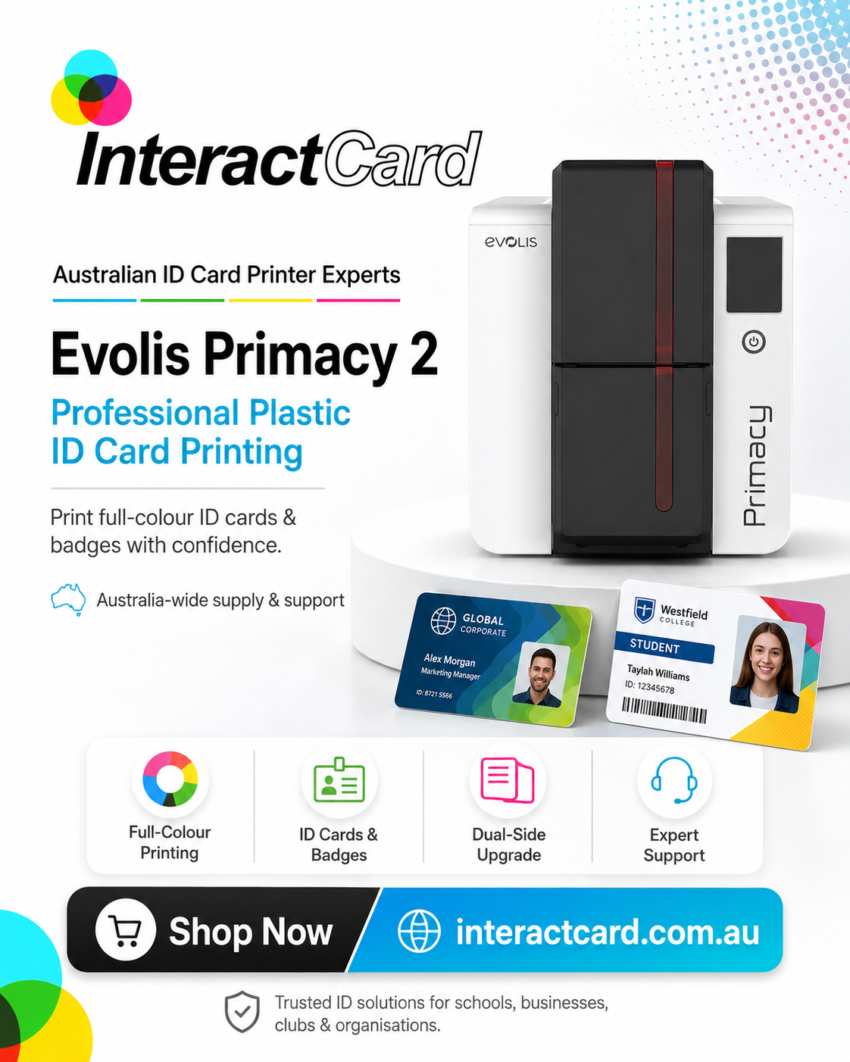
Many education providers start single-sided and move to dual-sided as the card takes on more roles — so an upgradeable printer like the Evolis Primacy 2 can be a sensible choice.
What Card Types Do Education Providers Print?
A single printer typically covers all the cards a school, university, or RTO needs across the year:
- Student ID cards — the core photo ID for identification, attendance, and exams.
- Staff and teacher ID cards — identifying employees and contractors on site.
- Library cards — often the student card itself, with a barcode or encoded chip.
- Campus/building access cards — encoded cards for gates, labs, or after-hours entry.
- Visitor and contractor passes — managing who is on school grounds, important for child-safety and site security.
- RTO induction / site cards — for training organisations issuing competency or induction IDs.
Direct-to-Card vs Retransfer for Education
For most schools, a direct-to-card printer is the practical choice — it prints straight onto the card, is cost-effective per card, and handles standard student and staff IDs well. Retransfer printing (which lays the image onto a film and fuses it to the card for sharper, true edge-to-edge results) is worth considering for universities or institutions that want premium-looking cards, full-bleed designs, or print over smart-card chips cleanly. Here’s the practical split, with the Evolis models commonly used:
|
Printer Type |
Best For in Education |
Evolis Models |
|
Direct-to-card |
Everyday student and staff IDs, most schools and RTOs |
Zenius (single-sided), Primacy 2 (dual-sided), Badgy (budget/low volume) |
|
Retransfer |
Universities or premium edge-to-edge cards, printing over chips |
Agilia, Avansia |
|
High-volume / bureau |
Large universities, big enrolment runs |
Quantum 2 |
Adding lamination (via models like the Primacy Lamination) is worth it where cards must survive heavy daily use across a full school year.
How Important Is Card Design Software for Schools?
Software is arguably more important for education than for a small business, because student cards are produced in bulk from existing data. Good card design software lets admin staff build one template — school branding, photo placeholder, name, student number, barcode — then import the whole cohort from a spreadsheet or student management system and print the batch, rather than creating cards one at a time. It should also handle photos in bulk, print barcodes or QR codes for library and attendance systems, and make annual updates (new year level, new expiry) easy.
Common options include Cardpresso and ID-ALL, which scale from a simple single-school setup to more advanced, database-driven university workflows.
What Supplies and Running Costs Should You Plan For?
The printer is only part of the cost — schools should budget for ongoing supplies, especially given the annual volume spike. Plan for blank PVC cards, colour ribbons (for photo IDs), monochrome ribbons (for simpler cards), cleaning kits, and optionally laminates or overlays for durability, plus lanyards, card holders, and reels students will actually use.
A full-colour photo student card costs more per card than a simple monochrome one, so for very large enrolments it’s worth estimating cost-per-card up front. Check that supplies are easy to reorder before peak enrolment periods, so you’re not caught short mid-term.
Why Does Durability Matter More for Student Cards?
Durability matters because a student card lives a hard life — carried every day, clipped to bags, tapped on readers, and expected to last the full year or longer. A card that fades, cracks, or delaminates means reprints, cost, and disruption mid-term. Lamination or a tougher card construction helps cards survive daily handling, and a clear, well-printed photo stays legible for identification and exams.
For cards that also control access, durability is a security issue too: a damaged encoded card that stops working at a gate or library terminal creates daily friction for students and staff.
What Child-Safety and Security Points Should Schools Consider?
For schools specifically, ID cards are part of a safe-campus approach: clear photo IDs help staff quickly identify students, visitors, and contractors, and visitor passes help control who is on grounds — which supports child-safety obligations. Keeping student photos and personal data in-house (rather than with an external printer) also reduces privacy risk.
Where cards integrate with access control, you can add features such as encoded entry, expiry dates, and colour-coding by year level or role — useful for distinguishing students, staff, and visitors at a glance. Not every school needs advanced encoding, but choosing a system that can support it later avoids replacing the printer when needs grow.
What Should You Check Before Buying an ID Card Printer for a School or RTO?
Before buying, run through this education-focused checklist:
- How many cards at peak (start-of-year), and how many replacements through the year?
- Single-sided or dual-sided — does the card double as a library or access card?
- Can the software import students and photos in bulk from our system or a spreadsheet?
- Do we need magnetic stripe, smart card, or RFID encoding for library/building access?
- Do cards need lamination to last a full school year?
- Who on staff will operate it, and is the software simple enough for them?
- Are ribbons and blank cards easy to reorder before enrolment week?
- Is Australian technical support available if it fails mid-enrolment?
- Can the system grow if the school or RTO expands?
Why InteractCard Is a Relevant Option for Education
For Australian schools, universities, and RTOs, InteractCard is a relevant provider to consider — it explicitly supports education uses, listing Student & Staff ID Cards and RTO Induction Cards among its card applications, and names education among the industries it serves. A long-serving authorised Evolis distributor (the brand behind 400,000+ ID card printers sold worldwide), it supplies and supports plastic ID card printing across Australia, including Melbourne, Sydney, Brisbane, Perth, Adelaide, Darwin, Hobart, and regional areas.
Its range maps well to education needs: the single-sided Zenius and dual-sided Primacy 2 for everyday student and staff IDs, the budget Badgy for small schools or low volumes, the Agilia and Avansia retransfer printers for premium university cards, lamination models for year-long durability, and the Quantum 2 for large-enrolment bureau printing — plus Cardpresso and ID-ALL design software for bulk, database-driven card creation, and consumables, lanyards, and accessories. Orders placed before 2pm EST on business days ship the same day, which helps when enrolment is looming. For an institution wanting a complete setup rather than just a printer, InteractCard can match the machine, software, supplies, and support to the campus.
What Common Mistakes Should Schools and RTOs Avoid?
The most common mistake is sizing the printer for average use rather than the start-of-year spike — a machine that’s fine for occasional replacements can choke on a 500-card enrolment run. Other frequent mistakes:
- Ignoring database/photo import — entering hundreds of students by hand instead of importing a cohort wastes enormous admin time.
- Skipping durability — un-laminated cards that fail mid-year mean costly reprints.
- Overlooking encoding compatibility — buying a printer that can’t encode the chip your library or access system uses.
- Forgetting peak-time supplies — running out of ribbons or blank cards during enrolment week.
- Underestimating support — no local help when the printer fails at the worst possible moment.
Final Thoughts
For schools, universities, and RTOs, an ID card printer is a practical tool for issuing student and staff IDs, library and access cards, and visitor passes in-house — with the speed, data control, and flexibility that seasonal enrolment and child-safety obligations demand. The right id card printer machine should match your peak volume, integrate with your student data and photos, support any library or access encoding you need, produce durable year-long cards, and come with reliable Australian support.
For Australian education providers comparing options, InteractCard is a strong choice to consider — it serves the education sector directly and offers the full Evolis range, from the budget Badgy and single-sided Zenius to the dual-sided Primacy 2, high-definition Agilia and Avansia retransfer printers, and the high-volume Quantum 2, along with bulk-capable design software, supplies, and local support to build a practical in-house setup for 2026.
Frequently Asked Questions
What is the best ID card printer for a school?
The best ID card printer for a school depends on size: a single-sided direct-to-card printer (like the Evolis Zenius) suits smaller schools printing basic student IDs, while larger schools and universities benefit from a dual-sided printer (Primacy 2) or a high-volume bureau model (Quantum 2) for big start-of-year runs. Software that imports students and photos in bulk is essential either way.
Can one printer make both student IDs and library/access cards?
Yes. Many education providers use a single card as the student ID, library card, and building-access pass. You’ll need a printer with the right encoding option (magnetic stripe, contactless smart card, or RFID) that matches your library and access systems — confirm compatibility before buying.
How do schools print hundreds of student cards quickly?
By using card design software (such as Cardpresso or ID-ALL) to import the whole cohort — names, student numbers, and photos — from a spreadsheet or student management system, then batch-printing. A higher-volume printer handles the start-of-year run without slowing down.
Should student cards be single-sided or dual-sided?
Single-sided is fine for a basic photo ID. Choose dual-sided if the card needs a library barcode, campus information, emergency contacts, or access instructions on the back. Some printers can be upgraded from single- to dual-sided as needs grow.
Do student ID cards need lamination?
Lamination is worth it for student cards because they’re carried and handled every day for a full year or more. It helps the card resist fading, cracking, and wear, which reduces mid-year reprints — especially important if the card also controls access.
Is in-house printing better than outsourcing for schools and RTOs?
In-house printing is generally better for education because enrolment is seasonal and concentrated, replacements are frequent, and student data is sensitive. Printing on campus means same-day cards, fewer bottlenecks at enrolment, and student photos and records staying in-house. Outsourcing may suit a very small one-off batch.
Does InteractCard supply ID card printers for schools in Australia?
Yes. InteractCard supports education uses (it lists Student & Staff ID Cards and RTO Induction Cards among its applications) and supplies and supports Evolis ID card printers, design software, and consumables across Australia, including all mainland capitals and regional areas.
What should an RTO look for in an ID card printer?
An RTO should look for reliable everyday printing, software that handles induction or competency card data, optional encoding if cards control site access, durability for cards used on work sites, and Australian support — with the printer sized to how often the RTO issues cards.