

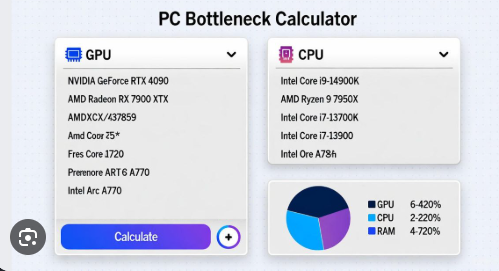
When building or upgrading a computer, choosing compatible hardware is just as important as choosing powerful hardware. A fast processor, high-end graphics card, and sufficient memory can create an excellent PC, but if these components are poorly matched, one part may prevent another from reaching its full potential. This is where a bottle neck calculator can be useful.
A bottle neck calculator helps users estimate whether one component of a computer could limit the performance of another. It is commonly used when selecting CPUs and GPUs for gaming PCs, workstations, and general-purpose computers. By understanding possible hardware limitations before buying components, users can make more informed decisions and avoid unnecessary spending.
What Is a Bottle Neck?
A bottle neck occurs when one component becomes a limiting factor for the overall performance of a computer. The concept is similar to a bottle with a narrow opening. Even if the bottle contains a large amount of liquid, the narrow opening controls how quickly the liquid can leave.
A computer can experience a similar limitation. For example, a powerful graphics card may be paired with an older processor that cannot process information quickly enough. Although the GPU has plenty of processing capability, the CPU may prevent it from being used effectively.
The opposite situation can also occur. A powerful CPU combined with a weaker GPU may result in the graphics card becoming the main performance limitation.
What Is a Bottle Neck Calculator?
A bottle neck calculator is a tool that compares computer components and estimates whether they are appropriately balanced.
Most calculators focus on the relationship between the CPU and GPU, as these components have a major influence on gaming and graphical performance. Some calculators may also consider RAM, resolution, refresh rate, and other system information.
To use a calculator, users generally enter their hardware specifications. The tool then provides an estimated result, which may be displayed as a percentage, rating, or description.
The purpose is to provide a general idea of where a possible performance limitation may exist.
CPU Bottle Neck
A CPU bottle neck occurs when the processor cannot keep up with the workload generated by a game or application.
This can happen when a powerful graphics card is combined with an older or lower-performance processor. The CPU may struggle to handle game logic, artificial intelligence, physics, background calculations, and other tasks quickly enough.
CPU limitations can be particularly noticeable in games that require substantial processor performance. They may result in lower frame rates, inconsistent performance, or situations where the GPU is not being fully utilized.
In these circumstances, upgrading the processor may improve performance.
GPU Bottle Neck
A GPU bottle neck occurs when the graphics card becomes the primary limitation.
This is common when playing graphically demanding games at high resolutions or with advanced visual settings. The GPU may operate at high utilization while the CPU has additional processing capacity available.
A GPU bottle neck is not automatically a problem. In many gaming systems, it is normal for the graphics card to be the component working hardest.
If the GPU is producing the desired frame rate and visual quality, there may be no reason to upgrade it simply because a calculator identifies it as the limiting component.
How Resolution Affects Bottle Necks
Screen resolution can significantly change how hardware performs.
At 1080p, the graphics card generally has less rendering work. When using a powerful GPU, this can make CPU limitations more noticeable.
At 1440p, the graphics workload increases, which can shift more of the performance burden toward the GPU.
At 4K, the GPU has a substantially larger rendering workload. As a result, a system that appears CPU-limited at 1080p may become primarily GPU-limited at 4K.
This demonstrates why a bottle neck calculator result should always be considered in relation to the resolution you actually use.
Why Use a Bottle Neck Calculator?
There are several reasons to use a bottle neck calculator before purchasing or upgrading hardware.
Hardware Upgrade Planning
If you already own a CPU and want to purchase a new GPU, a calculator can help you estimate whether your existing processor may limit the new graphics card.
Building a New PC
A calculator can help users compare different CPU and GPU combinations when designing a new computer.
Saving Money
Buying the most expensive component available is not always the best choice. If another component limits performance, spending extra money may provide less improvement than expected.
Learning About PC Performance
For beginners, a bottle neck calculator can provide a simple way to understand how different hardware components interact.
Are Bottle Neck Calculator Results Accurate?
A bottle neck calculator can be useful, but its results should not be considered exact.
Computer performance depends on many variables. Different games and applications use hardware differently, and factors such as drivers, cooling, RAM, background applications, operating system settings, and software optimization can influence performance.
A CPU and GPU combination that is well balanced in one game may behave differently in another.
Therefore, calculator results should be treated as estimates rather than guaranteed predictions.
Understanding Bottleneck Percentages
Some calculators display a percentage to indicate the estimated level of imbalance between components. It is important not to interpret this number as an exact percentage of performance loss.
For example, a calculated percentage does not necessarily mean that your computer will be that percentage slower in every game or application.
Instead, the number should be used as an indication that one component may be significantly different in performance from another.
Actual benchmarks and real-world usage are more useful when determining whether an upgrade is necessary.
Can Every Bottle Neck Be Removed?
Not completely.
Every computer will have a limiting factor under a particular workload. A game may be limited by the GPU, while another application may be limited by the CPU.
The goal should therefore be to create a balanced computer for your specific needs, rather than trying to eliminate every possible bottleneck.
For example, someone interested in 4K gaming may prioritize GPU performance, while someone focused on competitive gaming at high frame rates may place greater importance on CPU performance.
Tips for Building a Balanced PC
When selecting PC components, consider the complete system rather than focusing on one specification.
Choose a CPU and GPU that fit your intended games and applications. Make sure the system has sufficient RAM and an appropriate storage solution. Consider your monitor’s resolution and refresh rate as well.
Your budget is equally important. A balanced mid-range system can often provide a better overall experience than a computer with one extremely expensive component and several weaker parts.
It is also useful to plan for future upgrades. Choosing a suitable motherboard, power supply, and case can make later hardware improvements easier.
Final Thoughts
A bottle neck calculator is a useful starting point for anyone planning a PC build or hardware upgrade. It can help identify possible limitations between the CPU, GPU, and other components and provide a general understanding of how well a system may be balanced.
However, its results should not be treated as absolute. Real-world performance depends on the workload, resolution, graphics settings, software optimization, cooling, memory, drivers, and many other factors.
The best approach is to use a bottle neck calculator together with your actual performance requirements and budget. Understanding how your components work together will help you make smarter hardware choices and build a computer that provides the performance you need.