
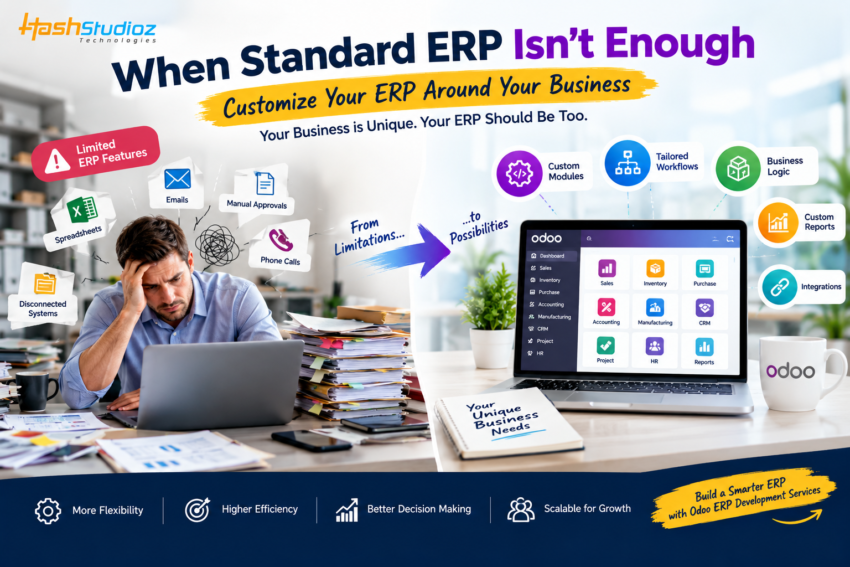
Every business has its own way of working. Your sales process may follow specific approval steps, your manufacturing team may use a unique production workflow, or your finance team may need reports that are not available in a standard ERP.
This is where businesses often face a difficult question: What should you do when your ERP cannot support the way your business actually works?
Changing your entire ERP system may seem like the obvious answer, but it can be expensive, time-consuming, and disruptive. In many cases, the better approach is to identify the gaps and extend the ERP around your actual business requirements. Odoo ERP Development Services can help businesses develop custom modules, workflows, features, and integrations when standard ERP functionality is not enough.
The goal is not to customize everything. The goal is to make the system support important business processes without creating unnecessary complexity.
When Standard ERP Features Are Not Enough
Standard ERP features are designed to support common business processes. They can handle areas such as:
- Sales management
- Purchase management
- Inventory
- Accounting
- CRM
- Manufacturing
- Human resources
- Project management
But your business may operate differently.
For example, a company may need:
- A custom approval process
- Industry-specific calculations
- A special quotation workflow
- Custom inventory rules
- Unique production requirements
- Additional fields and business logic
- A connection with a specialized third-party application
- Custom dashboards and reports
When these requirements are important to daily operations, forcing employees to work around the ERP can create more problems.
The Real Problem Is Often the Workaround
Imagine your ERP does not support a specific approval process.
Instead of changing the system, employees start using:
ERP → Excel → Email → Phone Calls → Manual Approval → ERP
At first, this may seem manageable.
But over time, the workaround becomes part of the process.
Employees duplicate information. Approvals take longer. Data becomes inconsistent. Managers have less visibility. And employees spend time maintaining spreadsheets instead of completing valuable work.
The ERP may not technically be broken, but the workflow around it is becoming inefficient.
Step 1: Identify the Exact Business Gap
Before developing anything, clearly identify what the ERP cannot currently handle.
Ask your team:
- What task cannot be completed inside the ERP?
- Where are employees using spreadsheets or external tools?
- Which approvals require manual follow-ups?
- Where is data entered more than once?
- Which reports require manual preparation?
- Which process causes the most delays?
- What information is missing from the current system?
This helps separate a genuine business requirement from a feature that would simply be convenient to have.
Example
Suppose a distributor has a special pricing process.
The standard ERP can create quotations, but the company needs different pricing rules based on customer type, order quantity, product category, and approval level.
If employees calculate everything manually in spreadsheets, the business has a clear process gap.
That is a better candidate for a targeted customization.
Step 2: Don’t Customize Everything
Customization can solve problems, but too much customization can create new ones.
Before adding a custom feature, ask:
Can the existing ERP configuration handle this requirement?
Sometimes the problem can be solved through:
- Configuration
- Existing modules
- Automated workflows
- Access rights
- Approval rules
- Standard reports
- Existing integrations
If the requirement can be handled without development, there may be no reason to build something custom.
This is why businesses should follow a “configure first, customize when necessary” approach.
Step 3: Find the Processes Worth Customizing
Not every process deserves development effort.
Focus first on workflows that have a measurable impact on the business.
For example:
High-value customization opportunities
Manual data entry
Automate repetitive information movement between processes.
Complex approvals
Create workflows based on amount, department, customer, product, or other business rules.
Industry-specific operations
Build features around processes that standard ERP modules cannot adequately represent.
Custom reporting
Create dashboards that give managers the information they actually need.
Third-party integrations
Connect the ERP with external platforms that employees depend on.
Special inventory requirements
Add business rules for unique stock management processes.
The objective is simple: solve the business bottleneck, not just add another feature.
How Odoo ERP Development Services Can Help
When standard Odoo functionality cannot support a specific requirement, Odoo ERP Development Services can help extend the platform around the business process.
Custom development can include:
Custom Modules
A custom module can introduce functionality that is not available in the standard Odoo setup.
For example, a company could require a specialized workflow for managing industry-specific orders.
Custom Workflows
Businesses may need approvals or process steps that differ from standard workflows.
A custom workflow can help automate those specific rules.
Custom Fields and Business Logic
Sometimes the existing system contains the right process but lacks important information or calculations.
Additional fields and business logic can help the ERP reflect how the business actually operates.
Custom Reports and Dashboards
Managers may need information that standard reports do not provide.
Custom dashboards can bring relevant operational data together in a more useful format.
Third-Party Integrations
If employees rely on payment platforms, shipping systems, marketplaces, external applications, or other business tools, custom integration can reduce duplicate data entry.
Example: Turning a Manual Process Into an ERP Workflow
Consider a manufacturing company that follows this process:
Customer Order → Technical Review → Price Calculation → Manager Approval → Production Planning → Delivery
The standard ERP may handle individual parts of this workflow, but the company may need a specific sequence with different approval rules.
Without customization, employees might manage the missing steps through emails and spreadsheets.
With a properly designed custom workflow, the process could become:
Customer Order
↓
Automatic Technical Review Request
↓
Custom Price Calculation
↓
Approval Based on Business Rules
↓
Production Planning
↓
Delivery
Now the ERP is supporting the actual business process instead of forcing employees to work around it.
Think About Future Growth
A custom ERP solution should not only solve today’s problem.
Your business may grow. The number of users may increase. New products may be introduced. Additional warehouses may be added. Business rules may become more complex.
Therefore, custom development should be designed with future requirements in mind.
Instead of building a rigid workflow that works only for today’s situation, create a flexible structure that can adapt as the business changes.
Don’t Forget Integrations
Sometimes the ERP itself is not the problem.
The real problem is that important business systems are disconnected.
For example:
E-commerce Platform → ERP → Shipping System → Accounting Platform
If these systems do not communicate properly, employees may manually transfer information between them.
Custom integration can help create a smoother flow of information.
This can reduce repetitive work and help employees spend more time on tasks that require human attention.
Test Before Going Live
Custom ERP development should be tested carefully before being introduced to daily operations.
Testing should cover:
- Business workflows
- User permissions
- Data accuracy
- Integrations
- Reports
- Approval processes
- Error handling
- Different user scenarios
A workflow that works correctly in one situation may behave differently when a different user, product, order value, or approval condition is involved.
Proper testing helps identify these issues before they affect real business operations.
Train the People Who Will Use It
Even a well-designed custom ERP feature will not deliver value if employees do not understand how to use it.
Training should explain:
- What changed
- Why it changed
- How the new workflow works
- What employees need to do
- What happens after each step
- Where to find information
- How to handle exceptions
When users understand the reason behind a change, adoption can become much easier.
The Goal Isn’t a More Complicated ERP
A successful ERP should make business processes easier to manage.
If customization adds unnecessary screens, complicated steps, or confusing workflows, it may create more problems than it solves.
The best customizations are often the ones employees barely notice because they simply make their everyday work easier.
A salesperson should not need five workarounds to complete an order.
A manager should not need three spreadsheets to understand operational performance.
A finance employee should not need to manually move the same information between multiple systems.
Your ERP should support the way your business works.
Final Thoughts
When your ERP cannot support your unique business requirements, replacing the entire system is not always the only answer. Start by identifying the exact process gap, check whether standard functionality can solve it, and customize only where there is a genuine business need.
With Odoo ERP Development Services, businesses can extend their ERP through custom modules, workflows, reports, business logic, and integrations designed around specific operational requirements.
The goal is not to make your ERP more complicated. It is to remove workarounds, reduce manual effort, connect disconnected processes, and create an ERP environment that fits the way your business actually works.